
No display/No video output
Put your Xbox in low resolution mode. Low resolution mode demonstration.
Replace the HDMI cable
Check the HDMI port for damage
Check the EMI filter below the port
Check the HDMI encoder (may not be available)
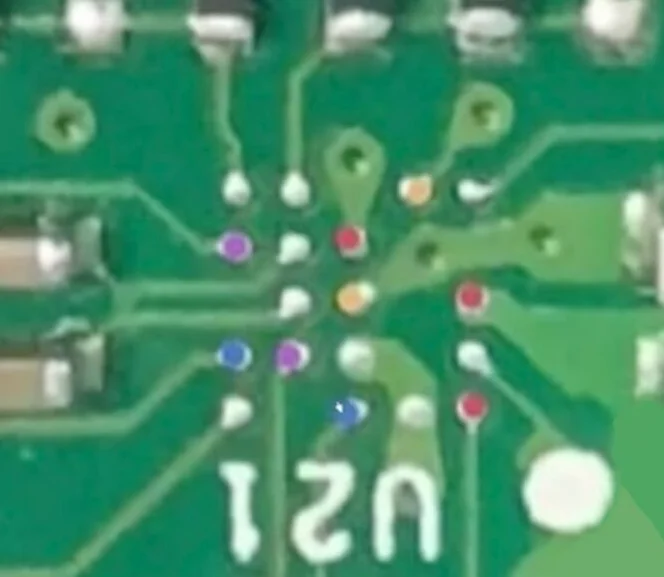
Check the ESD protection IC (bottom of the motherboard) – you can also bypass the ESD protection IC using the pin configuration shown in the diagram. For diagnostic purposes.
Check the 2151 5V transistor. It can be replaced with a similar transistor from the original Xbox One Ethernet circuitry.

