
First, check if your power supply outputs only 12V to the host.
Next, press the power button to see if the system at least beeps (it might just beep and not power on or continue, but if it at least beeps, it should continue running).
With AC power connected and the built-in power adapter outputting 12V to the host, you can check if the voltage output from the main regulator is at the expected level.
12V Spare Rail
The 12V voltage from the power supply should be distributed to all the large capacitor banks near the bottom of the host.

3.3V voltage regulator
Usually located in the lower left corner of the USB port.
Confirm that the voltage regulator input is 5V and the inductor output is 3.3V.

2V Voltage Regulator
It is located below the FFC cable connecting the DVD drive, near the fan.
Check if the regulator outputs 5V and the inductor outputs 2V.

1.8V / 1.1V Tracks
A quick check reveals the 1.8V standby capacitor is located near the USB port.
Alternatively, you can press the PS5’s power button to make a beep sound; this will bring up the 1.1V track.

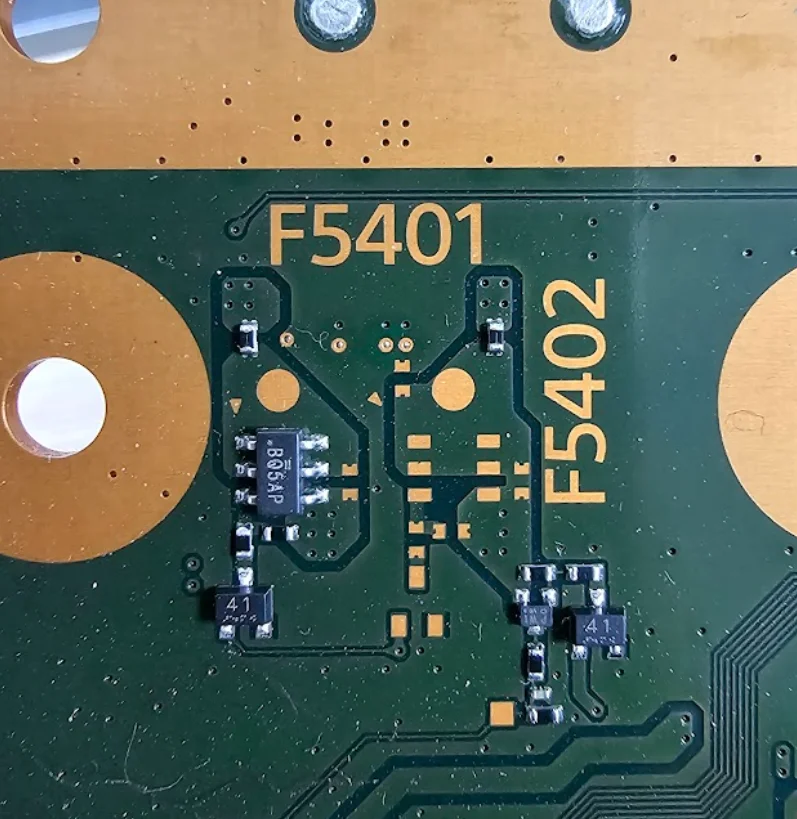
Fuse: There are various fuses around the control panel that can be checked. Their labels are F7001, F7002, F7003, F5401, F5402, F3501, and F7501.